E-Learning & Training Management
In 2025, most employees reach for their phone before opening a laptop.
That simple habit shift should shape how we design training.
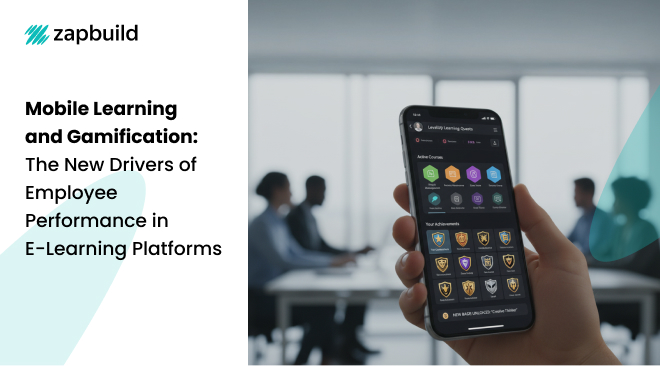
Mobile-first learning and well-designed gamification aren’t just buzzwords; they’re practical levers that raise completion rates, speed up time-to-competency, and turn “check-the-box” courses into real performance gains.
Below is a field guide to making them work together, along with how to keep your content interoperable and use analytics to improve every release.
Why Mobile-First Matters (and what the evidence says)
Research keeps piling up that mobile learning improves outcomes when implemented well.
Recent meta-analyses find positive effects of mobile learning on achievement across many contexts, with benefits strongest when content is chunked and interactive features are used thoughtfully.
Gamification shows similar promise when it’s tied to real tasks.
Multiple reviews and meta-analyses report measurable gains in learning and motivation, while cautioning that points and badges alone won’t fix weak content or irrelevant goals.
The takeaway: mobile and gamification help, but only if they’re connected to job-ready practice and a clear performance goal.
Implementing Mobile-First Learning Strategies
The mobile-first approach ensures that training resources are accessible across devices, enabling employees to engage with learning content on their preferred platforms.
This approach involves several key considerations:
1) Build Mobile-First, Not Mobile-Also
- Design for thumbs and bursts: Assume learners are on the move and have 3-8 minutes available. Use large tap targets, concise text, and progressive disclosure so each screen does one job well. Established mobile UX guidance emphasizes clarity, short flows, and readable layouts on small screens.
- Make it accessible from day one: Accessibility isn’t just for the web. WCAG 2.2 applies across device types, and the W3C’s 2025 guidance explains how to apply those success criteria in native and hybrid mobile apps (touch targets, focus, gestures, etc.). Bake these into your design system and QA checklist.
- Design for real-world connectivity: Support offline playback/sync so field staff can learn in airplanes, plant rooms, or remote areas; queue completions to sync later. Pair this with short modules and resumable progress to prevent drop-off when a train goes underground.
- Use notifications thoughtfully: Push reminders work best for spaced practice (“2-minute refresher on safe-lift positions”) and time-sensitive nudges (“New feature: 3 slides to learn”). Don’t let notifications become noise; allow frequency control in settings. (Industry guidance highlights the engagement value of push + microlearning + gamification in workplace eLearning.)
Patterns that play well on mobile
- Cards with a single action per screen
- Vertical video or captioned micro-clips
- Tap-to-reveal definitions and examples
- One-question “check your understanding” moments
- Resume exactly where you left off
2) Turn Learning Into A Game That Actually Changes Behavior
Gamification works when it motivates practice, not when it distracts from it.
Here’s how to apply it with purpose:
Start with the behavior
Write one sentence: “After this path, a ___ [user role] can ___ [action] in 2 minutes without help.” Map every mechanic to that outcome.
Pick mechanics that fit the job
- Progress bars & levels for multi-step skills (clear momentum).
- Streaks & spaced challenges to keep policies or product updates fresh over weeks.
- Scenario “quests” that mirror real decisions with escalating difficulty.
- Badges or micro-credentials only when they signal helpful mastery (gate access to advanced tools or privileges, not just vanity).
Design tips
- Treat points and badges as signals of mastery, not participation stickers.
- Use immediate feedback and short re-tries on mobile; don’t force full module restarts.
- Calibrate difficulty. Early wins build efficacy; later challenges should feel earned.
- Offer solo and team goals. Not all roles thrive on competition – many prefer progress toward shared outcomes.
3) Instrument Everything: Analytics For Continuous Improvement
Learning analytics is about using data to improve teaching and learning, not just dashboards. Think of it as applying analytics approaches to gain insight and acting on it.
Treat your platform like a product: ship, measure, learn, iterate.
Define success before you build
- Business metric: Time to first independent task, QA error rate, ticket deflection, or sales ramp.
- Learning metric: Scenario pass rate at “realistic” difficulty; skill demo in the workflow (observed or system-logged).
- Engagement metric: Return rate for spaced practice; median session length on mobile.
Instrument your funnel
- Enroll → Start: Are invites clear on mobile? Do deep links land in the right screen?
- Start → First win: Is the first activity under 2 minutes and rewarding?
- First win → Completion: Where do people stall? Is it a design issue (tiny touch targets) or content (too hard/long)?
- Completion → On-the-job use: Do we see the behavior in CRM, helpdesk, production logs, or QA systems?
Run small experiments
- A/B test two question types (scenario vs. recall) for equal content.
- Compare a points-only track vs. a progress-bar + feedback track.
- Try 2 vs. 3 spaced nudges per week; measure retention and opt-outs.
Close the loop
- Ship weekly fixes to the worst-performing questions or screens.
- Celebrate and badge application, not completion (e.g., “Resolved first ticket solo”).
- Share a monthly one-pager with stakeholders: what we changed, what moved, what’s next.
Privacy and accessibility
- Minimize personally identifying details in statements; store only what you need for improvement.
- Keep accessibility metrics in your QA (e.g., touch target size defects; screen reader regressions) and follow WCAG 2.2 guidance for mobile.
4) A Practical 90-Day Rollout Plan
Days 1-15: Scope and structure
- Pick one high-impact skill (e.g., “handle a top 5 customer objection”).
- Break it into 5-8 micro-lessons (3-5 minutes each) with one scenario apiece.
- Define your success metrics and analytics events (completion + actions).
Days 16-45: Build and baseline
- Design mobile-first flows; run hallway tests with 5-7 real users.
- Add one primary gamification mechanic (progress bar + level unlocks) and clear feedback.
Days 46-60: Pilot on phones
- Launch to a small cohort; measure funnel drop-offs and scenario pass rates.
- Fix the top 3 friction points (tap targets, confusing text, long videos).
- Calibrate difficulty and feedback timing.
Days 61-90: Iterate and expand
- Add a spaced-practice path with 2-3 weekly nudges.
- Layer in one social mechanic (team goal or peer challenge) if the culture supports it.
- Publish your first improvement report: what changed and what business metric moved.
Final thought
Mobile-first learning and meaningful gamification are not “extras”; they’re how modern platforms meet people where they are and motivate real practice. Combine them with a simple analytics loop, and you’ll turn courses into continuous performance gains, one small, thumb-friendly win at a time.
FAQs
1) Do I need SCORM, xAPI, or both?
Use SCORM to ensure plug-and-play LMS compatibility and basic tracking (completion, score) via the imsmanifest.xml. Use xAPI (an IEEE-approved standard) with an LRS for cross-app, granular event data; many teams publish SCORM for the LMS and send xAPI for deeper analytics. SCORM.comMoodle DocsxAPI.com
2) How can I make mobile learning accessible and usable?
Design to WCAG 2.2 A/AA, including adequate touch-target size (SC 2.5.8), clear focus order, captions, and operable gestures. Apply W3C’s mobile guidance across native, web, and hybrid apps, and test on real devices with assistive tech. W3C+1W3C GitHub
3) Does gamification/mobile learning actually improve performance?
Meta-analyses show gamification can significantly improve learning outcomes, though results depend on good design and fit. Mobile learning meta-analyses also report positive effects on achievement when content is well-structured and interactive.


 India
India
 United States
 Singapore
 India
India
 United States
 Singapore
 Aman Brar
Mar 05, 2025
Aman Brar
Mar 05, 2025